





The way you'd ask a person
Tell Acctivity how to bill. It handles everything else.
Every client is different. Every matter has its own billing preferences. Just tell your AI Legal Bookkeeper how you want an invoice structured, and it will remember, apply it consistently, and get it right every time.
Always add a 10% discount to all work completed by me on this matter. But not on any other staff.


Ask for my help with any legal accounting task


Claude 4.6 Opus


AI can make mistakes. Consider checking important information.
Your billing preferences
shouldn't live in someone's head.
Every client is different. Every matter has its own billing logic. That knowledge is fragile — it lives in email threads, handwritten notes and institutional memory that takes years to build and seconds to lose.
Acctivity remembers it all. And applies it without being asked twice.
Client-Specific Billing Preferences
Every client billed exactly the way they like it.
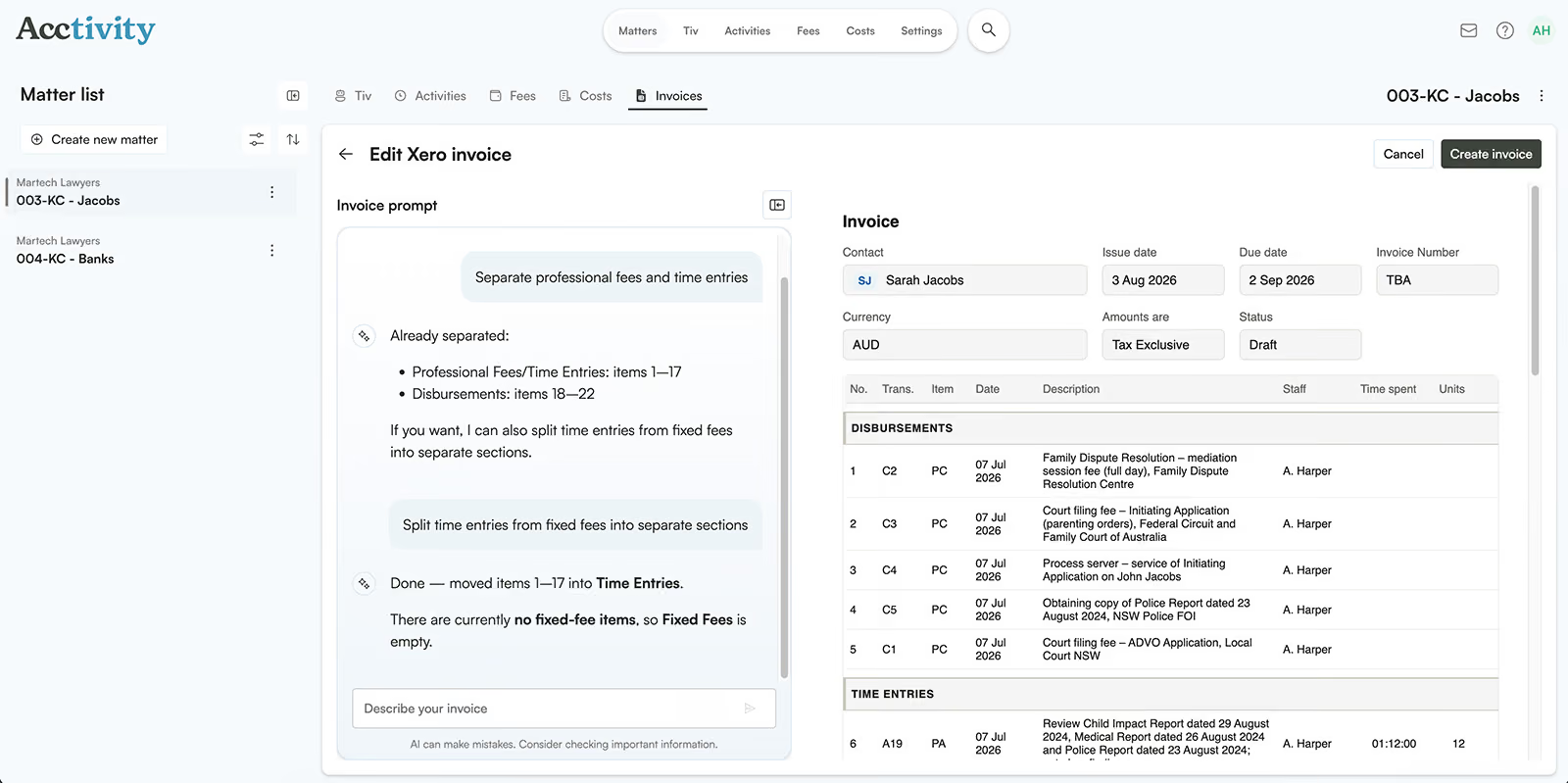
Acctivity lets you set billing preferences at the client or matter level, in plain English, and applies them automatically every time an invoice is generated. No briefing required. No inconsistencies. No corrections after the fact.
Set billing preferences per client or per matter
Apply different levels of detail, description style and cost presentation
Consolidate or itemise activities based on client preference
Preferences are stored, remembered and applied automatically
Nothing to configure
No training required.
Just tell it what you need.
You don't need to learn a new system or navigate complex settings. If you want to separate professional fees from disbursements on a particular file, say so. If a matter needs activities grouped by date rather than task type, just ask. Acctivity interprets your instruction, structures the invoice accordingly and flags anything that needs your attention before it goes out.
Friday 2nd October 1:37 AM
Ask for my help with any legal accounting task
AI can make mistakes. Consider checking important information.
Frequently Asked Questions
What is legal invoicing software and how does it work?

Legal invoicing software turns billed work into a client invoice using your firm's own formatting rules, instead of a fee earner building each bill from scratch. Acctivity does this by applying the billing preferences you set for each client automatically.
Can I set different invoice formats for different clients?
Yes. You can set invoice preferences per client or matter, so each one is billed exactly the way they expect.
Can I choose between itemised and consolidated invoices?
Yes. You can set whether activities are itemised or consolidated, and how much detail is shown, for each client.
Can I review an invoice before it's sent?
Yes. You can review and edit invoice entries in plain English before a bill goes out.
Is legal invoicing software secure for client data?
Acctivity is built with enterprise-grade security, so client billing data is protected.
The new standard
Your next invoice should reflect everything you've actually done.
Every channel covered — documents, tasks, calendar and email
Every entry linked to the correct matter from the start
Plain English editing — review entries in seconds
Traditional timesheet — for those who prefer it
Enterprise-grade security — compliant from day one
Thanks for reaching out!
We’ll be in touch shortly and look forward to discussing how Acctivity.ai can support your firm.
We’ll be in touch shortly and look forward to discussing how Acctivity.ai can support your firm.
Oops! Something went wrong while submitting the form.