Frequently Asked Questions

Got a question? We've got the answer. Check out our frequently asked questions below.

Who it's for

Is Acctivity good for solo lawyers?

Icon

Yes. Acctivity gives each individual fee earner their own personal AI legal bookkeeper, rather than a single, shared firm-wide tool, so time capture and billing preferences are tracked per person.

How is Acctivity different from LEAP or Smokeball?

Icon

LEAP and Smokeball are full practice management suites where billing is one feature among many. Acctivity is a single-purpose AI bookkeeper focused only on billable capture and Xero-native invoicing, built to run alongside an existing practice management tool rather than replace it.

Which billable time capture software is best for Australian law firms?

Icon

It depends on how your firm works, but look for software that captures time automatically across documents, email and calendar, applies your own billing rules, and still lets you review entries before they're invoiced.

Which invoicing software is best for Australian law firms?

Icon

It depends on how your firm bills, but look for software that lets you set invoice preferences per client, choose between itemised and consolidated invoices, and publish straight to the accounting platform you already use, such as Xero.

Billable capture

How can I save time on recording billable hours?

Icon

Acctivity captures billable moments automatically as they happen, so you're not stopping your day to start a timer or rebuilding a timesheet from memory at the end of it.

Can Acctivity find unbilled client work?

Icon

Acctivity captures billable activity across documents, tasks, calendars and emails as you work, helping prevent missed time and incomplete timesheets.

Does Acctivity know which of my work is billable?

Icon

Yes. It applies your firm's own billing logic to identify what's billable and what isn't, so entries reflect how your firm actually bills.

Can I still use a timesheet instead of auto-time capture?

Icon

Yes. A traditional timesheet option is still available.

Does Acctivity link entries to the right client matter?

Icon

Yes. It writes the time entry and links it to the correct matter automatically.

Can I review time entries before they're billed?

Icon

Yes. Acctivity lets you review and edit entries in plain English, so you stay in control of what's actually billed.

Invoicing

What is legal invoicing software and how does it work?

Icon

Legal invoicing software turns billed work into a client invoice using your firm's own formatting rules, instead of a fee earner building each bill from scratch. Acctivity does this by applying the billing preferences you set for each client automatically.

How can I save time on invoicing my clients?

Icon

Set your invoicing preferences once, and Acctivity applies them to every future bill for that client automatically, in plain English, so you're not reformatting each invoice by hand.

Can I set different invoice formats for different clients?

Icon

Yes. You can set invoice preferences per client or matter, so each one is billed exactly the way they expect.

Can I turn captured billable time straight into an invoice?

Icon

Yes. Acctivity captures billable time automatically, then applies your preferences to turn it into a correctly structured invoice.

Can I choose between itemised and consolidated invoices?

Icon

Yes. You can set whether activities are itemised or consolidated, and how much detail is shown, for each client.

Can I review an invoice before it's sent?

Icon

Yes. You can review and edit invoice entries in plain English before a bill goes out.

Xero integration

Does Acctivity sync with Xero?

Icon

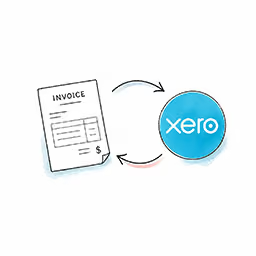
Yes. Acctivity consolidates fees, disbursements, and costs into a compliant invoice and publishes it directly into Xero's ledger, with no manual import and no reconciliation.

Why use Acctivity with Xero for legal billing?

Icon

Legal billing involves matter-specific work, disbursements and different client billing requirements. Acctivity handles these details before invoices reach Xero, connecting your firm's day-to-day work with its accounting.

How does Acctivity send billable time and costs to Xero?

Icon

Acctivity automatically captures billable time, applies each client's invoice preferences and consolidates fees, disbursements and costs. It then publishes the completed invoice to Xero, without you having to re-enter the information.

Does Acctivity reduce manual data entry in Xero?

Icon

Yes. Acctivity publishes invoices directly to Xero, removing the need to export billing information and manually enter it again. This reduces double handling and the risk of errors when transferring invoice details.

Does Acctivity replace my firm's existing Xero account?

Icon

No. Acctivity works with your existing Xero account. It handles legal billing and invoice preparation, while Xero remains your firm's accounting system.

Security

Is Acctivity SOC 2 and SOC 3 compliant?

Icon

Yes. Acctivity is built on SOC 2 Type II and SOC 3 controls, a Data Privacy Framework (DPF) certification, and a CASA Tier 3 cloud security assessment, the certifications firms increasingly expect from any legal SaaS vendor.

Is Acctivity secure for client data?

Icon

Yes. Acctivity is built with enterprise-grade security, so client data is protected.

Getting started

How do I get early access to Acctivity?

Icon

Acctivity is currently in early access. Firms that join the waitlist are onboarded first as the product rolls out.